What kind of workouts is Exercise built for?
Exercise is built for self-designed workouts with real structure. You can mix sets, reps, timed holds, distance, notes, rest between reps, and circuit blocks in the same workout template instead of flattening everything into a generic timer or checklist.
Can I change a workout while I am logging it?
Yes. You can adjust reps, timing, weights, notes, rest, and even the structure of the session while you log. The active workout stays flexible without forcing you to rewrite the original template first.
Does Exercise sync across my devices?
Yes. Workouts and workout logs sync across your devices through iCloud, so your templates, routines, and history follow you across iPhone, iPad, and Apple Watch.
Is there an Apple Watch app?
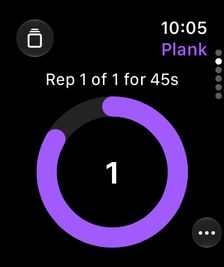
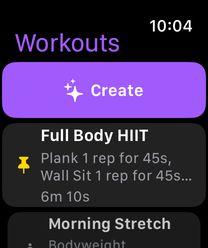
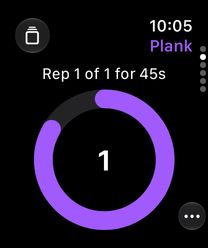
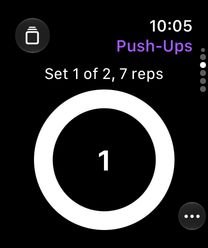
Yes. The watchOS companion app runs full workouts from your wrist — timed holds, sets, rest, and circuits — mirrors active sessions with your iPhone in real time, and saves Watch sessions to Apple Health automatically. On watchOS 27, you can create a workout by dictating it on the Watch. You can also follow the live timer in the Smart Stack and start pinned workouts from complications.
Can Exercise talk me through a workout?
Yes. Spoken cues announce the current exercise, count down your rest, and tell you what's next, so you can keep your phone in your pocket. Workout Mode rest pages also show what's up next on screen.
How does AI workout generation work?
Describe the workout you want in plain language, or paste a list of exercises, and Exercise builds it. On iPhone it runs on device by default and works offline; you can also choose Apple's Private Cloud Compute for stronger reasoning. Review and refine the draft, then log it immediately or save it as a reusable template. On Apple Watch, generation uses Private Cloud Compute and the workout is logged rather than saved as a template. While editing, AI-recommended exercises can be quick-added with one tap.
Can I share my workout history with a trainer?
Yes. Search your logs by workout name, exercise name, or date range, then export the results as a PDF to hand to a trainer or physical therapist. Full JSON export is available for backups, with import on Premium for moving data.
What gets shared with Apple Health?
When you enable HealthKit and choose to save a workout, Exercise writes workout timing, activity type, measured energy when available, optional effort data, and minimal sync metadata. Exercise names, sets, reps, and notes are not written to Apple Health.
How can I join the Exercise TestFlight beta?
You can join the beta through TestFlight. Install Apple's TestFlight app if prompted, open the invite, tap Accept, then install Exercise from TestFlight.
Join the TestFlight beta